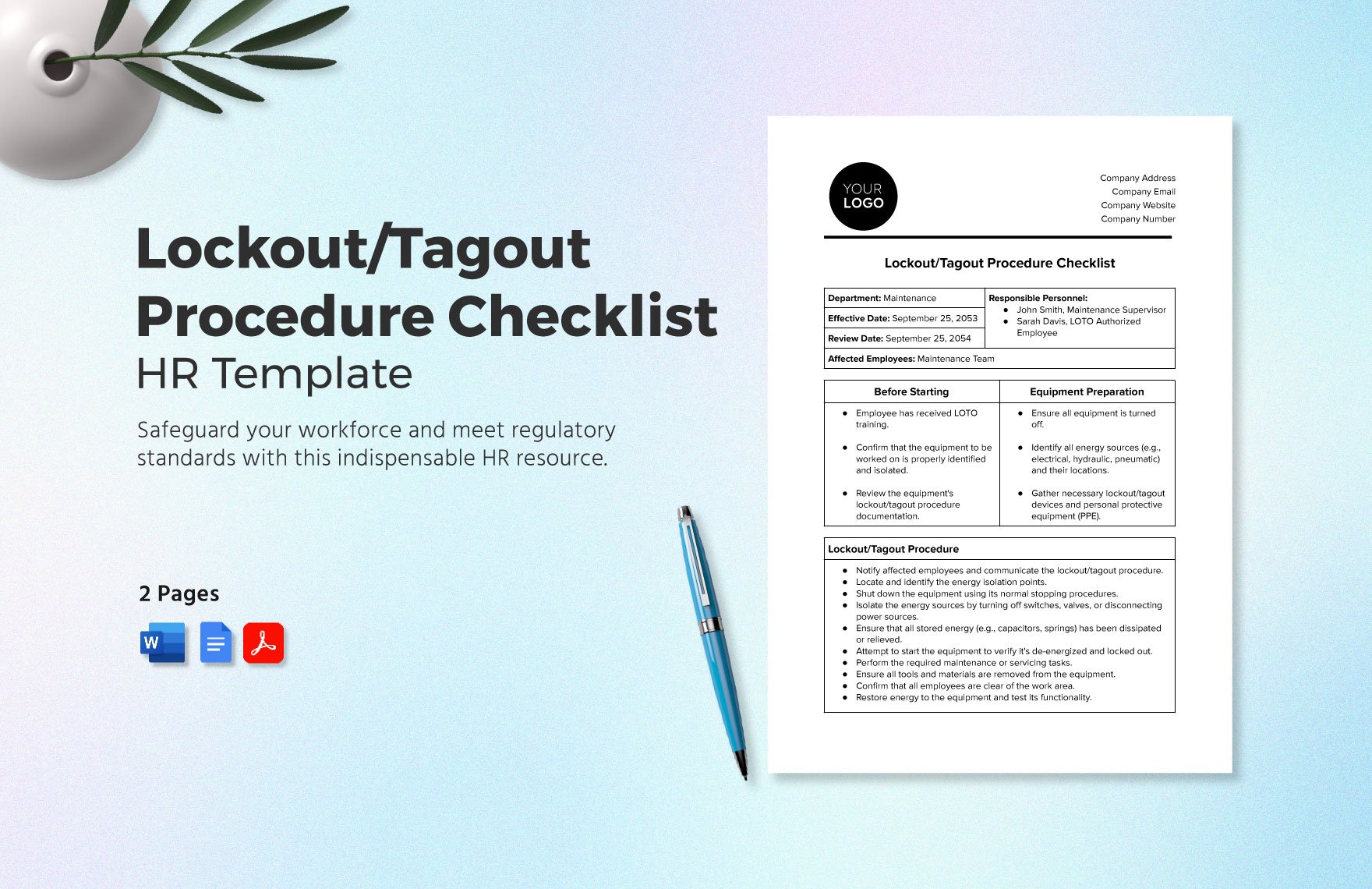
Workers are injured every year during equipment servicing—not because they’re careless, but because the lockout tagout written procedure wasn’t clear, accessible, or followed. A well-documented LOTO process in a standardized, easy-to-use PDF format isn’t just good practice; it’s a legal requirement under OSHA 29 CFR 1910.147. Yet countless facilities rely on outdated forms, vague instructions, or no written procedure at all.
This guide delivers a practical, compliant framework for creating or updating your lockout tagout written procedure PDF. You’ll get structure, real-world examples, and insights most safety managers miss—so your team doesn’t just check a box, but actually prevents injury.
What a Lockout Tagout Written Procedure PDF Must Include
A LOTO written procedure is not a generic memo or a one-size-fits-all checklist. It’s a detailed, equipment-specific document that outlines exactly how to safely isolate energy sources during maintenance. When converted into a PDF, it becomes a controlled, distributable, and auditable record.
Your PDF should include:
- Equipment identification (name, model, location)
- Type and magnitude of energy sources (electrical, hydraulic, pneumatic, chemical, etc.)
- Steps for shutdown, isolation, and energy dissipation
- Specific lockout points (valves, breakers, disconnects)
- Verification of zero energy
- Who performs the procedure (authorized employee)
- Group lockout rules, if applicable
- Procedure for removing locks and restarting
Leaving out any of these can void OSHA compliance. For example, a plant in Ohio faced $120,000 in penalties after an employee was crushed—because their LOTO PDF only listed “turn off machine” without specifying valve lock positions or bleed-off steps.
Why a PDF Format Matters for Compliance and Clarity
Using PDFs for your lockout tagout procedures isn’t just about convenience—it’s about control. Unlike editable formats like Word or Google Docs, a finalized PDF ensures:
- Version consistency across printouts and digital copies
- Easy distribution to mobile devices on the shop floor
- Tamper resistance—no accidental or unauthorized changes
- Embeddable metadata (author, date, revision number)
- Offline access during power outages or maintenance downtime
But don’t just convert a draft to PDF and call it done. The file should be:
- Named clearly (e.g., “LOTO-Procedure-Conveyor-Belt-Rev3.pdf”)
- Stored in a central, accessible location (shared drive, safety portal)
- Updated and re-issued with every revision
A mid-sized manufacturing facility reduced LOTO errors by 60% simply by switching from hand-annotated binders to standardized, color-coded PDFs with embedded QR codes linking to equipment-specific procedures.
Common Mistakes in Lockout Tagout Procedure PDFs
Even compliant-looking PDFs fail when they’re built on flawed assumptions. These errors are widespread—and preventable.
1. Copy-Paste Templates Without Customization Using a generic LOTO template from a free website and applying it to multiple machines is a red flag during audits. OSHA requires machine-specific procedures. A hydraulic press has different energy control needs than a conveyor motor.
2. Vague or Passive Language Phrases like “ensure the machine is off” or “verify power is disconnected” lack actionable detail. Replace with: - “Open circuit breaker CB-7 and confirm with voltage tester.” - “Close and lock isolation valve V-12 in the hydraulic line.”
3. Missing Verification Steps The procedure must include how to confirm zero energy—such as using a multimeter, bleed valve, or gauge. Without this, the lockout is incomplete.
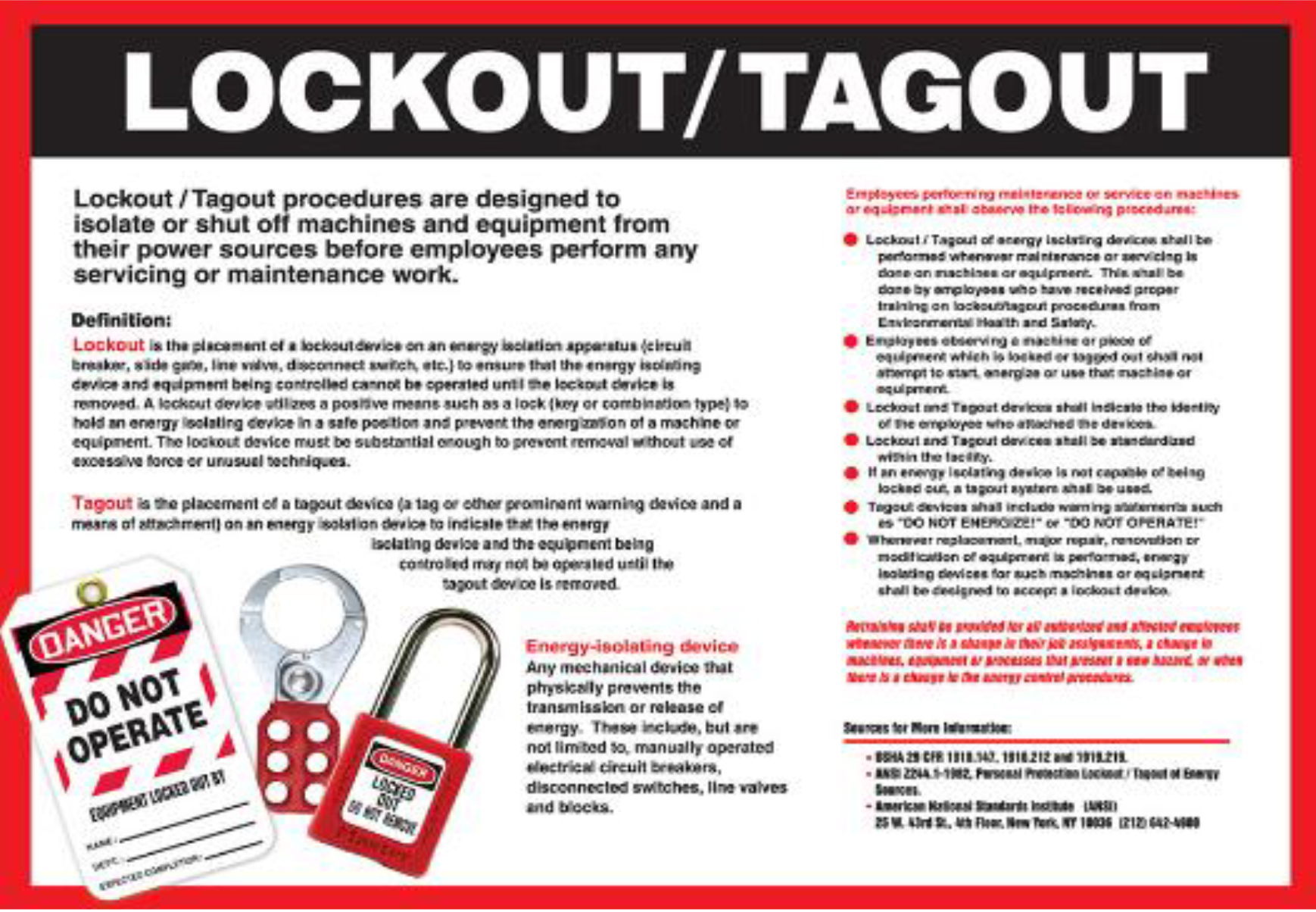
4. Not Including Tag Elements Tags must display: - Name of the authorized employee - Date and time of lockout - Reason for lockout
These details should appear in the procedure and be replicated on physical tags.
5. No Review or Update Schedule LOTO procedures degrade over time as equipment changes. Your PDF should state: “Review annually or after any modification.”
How to Build a Compliant LOTO Written Procedure PDF: Step-by-Step
Creating a usable, enforceable PDF starts with field work—not desk work.
#### Step 1: Conduct an Energy Audit Walk through each machine with maintenance staff. Identify every energy source: - Electrical (voltage, amperage) - Hydraulic (PSI, fluid type) - Pneumatic (air lines, pressure) - Mechanical (springs, gravity-fed systems) - Chemical (pressurized tanks, reactors)
Document this in a master spreadsheet before drafting.
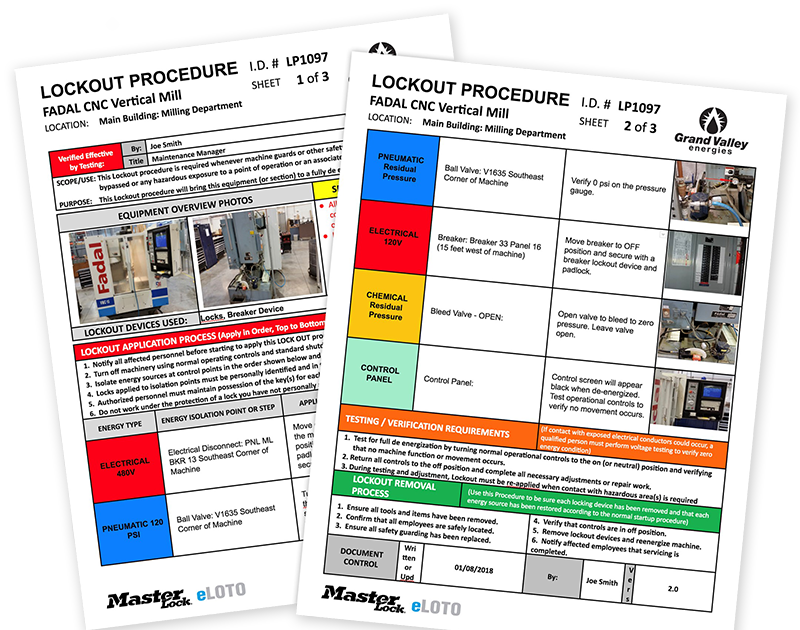
#### Step 2: Map Lockout Points Use equipment schematics or real-world testing to locate exact isolation points. Label them clearly: - “Main Disconnect – Panel A, Breaker 3” - “Air Supply Valve – Line 4, Junction Box B”
Photos help. Embed labeled images in the PDF.
#### Step 3: Write Clear, Sequential Steps Avoid ambiguity. Use active voice and imperative verbs.
- Example:
- Notify all affected personnel that maintenance will begin.
- Press the emergency stop button on Control Panel 2.
- Open and lock circuit breaker CB-12 with a personal lock.
- Close and lock hydraulic isolation valve V-09.
- Open bleed valve BV-3 to release residual pressure.
- Use a CAT III multimeter to test for zero voltage at motor terminals.
- Attach tag with name, date, and reason.
#### Step 4: Review and Approve Have safety officers, supervisors, and at least one maintenance tech sign off. This ensures operational realism.
#### Step 5: Convert to PDF and Distribute Use a consistent header, numbering system, and revision log. Store in a shared safety folder and print laminated copies for high-traffic areas.
Real-World Example: LOTO PDF for a Packaging Machine
Equipment: Vertical Form-Fill-Seal Machine (Model VF-2000) Location: Production Floor B, Station 4
Energy Sources: - 480V 3-phase electrical - 110 psi compressed air - Spring tension in sealing jaws
- Procedure Summary:
- Switch selector to “Maintenance” mode.
- Depress E-Stop button on main console.
- Isolate main power via disconnect switch DS-1 (Lockout Point A).
- Shut off air supply at valve AV-5 (Lockout Point B).
- Release air from Accumulator Tank 2 using manual bleed (valve BV-2).
- Lower sealing jaws manually to relieve spring tension.
- Test for zero energy:
- - Verify 0V at motor input with multimeter.
- - Confirm 0 psi on air gauge.
- Attach red tag with:
- - Name: J. Rivera
- - Date: 05/14
- - Reason: Drive belt replacement
This procedure was embedded in a PDF with a QR code on the machine—scanning it pulls up the full document on a phone or tablet. Downtime for lockout dropped by 30% due to faster access.
Tools to Create and Manage LOTO Written Procedure PDFs
You don’t need expensive software, but the right tools make compliance scalable.
| Tool | Use Case | Pros | Cons |
|---|---|---|---|
| Adobe Acrobat Pro | Convert finalized docs to secure, editable PDFs | Password protection, form fields, version tracking | Costly for small teams |
| Microsoft Word + PDF Export | Draft and format procedures | Widely available, easy to use | Risk of uncontrolled edits if not managed |
| SafetyCulture (iAuditor) | Mobile LOTO procedure builder with PDF export | Real-time updates, photo integration, cloud sync | Subscription-based |
| EHS Insight | Full EHS platform with LOTO module | Automated reminders, audit trails, integration | Overkill for simple operations |
| Canva for Docs | Visually clear templates | Drag-and-drop design, free tier | Not ideal for complex technical documentation |
For most mid-sized operations, a combination of Word (for drafting) and Acrobat (for finalizing) works best. Add version numbers and revision dates to every PDF footer.
Training and Enforcement: Making the PDF Useful on the Floor
A perfect LOTO PDF does nothing if workers don’t use it. Training must go beyond “read the document.”
- Conduct hands-on drills using the actual PDF as a guide.
- Test comprehension with scenarios: “What would you do if the bleed valve is stuck?”
- Post QR codes next to machines linking to the digital PDF.
- Audit usage quarterly—check lockout logs against procedure steps.
One auto parts factory reduced near-misses by 75% after introducing “LOTO Challenge Days,” where teams performed mock maintenance using only the PDF as a guide.
Finalizing Your Lockout Tagout Procedure PDF
Your LOTO written procedure PDF should be more than a compliance artifact—it should be a living document that prevents harm. Start by auditing one high-risk machine. Build a specific, step-by-step guide. Convert it to PDF with clear formatting and version control. Train your team using it. Then scale across your facility.
Don’t wait for an incident or an OSHA citation. A strong, accessible PDF today protects your people tomorrow.
FAQ
Where can I find a free lockout tagout written procedure PDF template? Reputable sources include OSHA’s website, NIOSH, and industry safety consortia. Avoid generic templates—customize them to your equipment.
Do all machines need a separate LOTO PDF? Yes, if energy control steps differ. Similar machines with identical configurations can share a procedure, but only after documented evaluation.
Can a LOTO procedure be only digital? Yes, if it’s accessible during maintenance (e.g., on tablets or kiosks) and workers are trained to use it. Print backup is recommended.
Who is responsible for writing the LOTO procedure? The employer, typically through a safety manager or engineering team, in collaboration with maintenance staff.
How often should LOTO PDFs be reviewed? Annually, or whenever equipment is modified, repaired, or involved in a near-miss.
Should employees sign the LOTO PDF? Not the document itself, but they must be trained on it. Keep training records linked to each procedure.
Can multiple people use the same LOTO PDF during group lockout? Yes, but each authorized employee must apply their own lock and tag. The PDF should include group lockout steps.
FAQ
What should you look for in Lockout Tagout Written Procedure PDF Guide & Template? Focus on relevance, practical value, and how well the solution matches real user intent.
Is Lockout Tagout Written Procedure PDF Guide & Template suitable for beginners? That depends on the workflow, but a clear step-by-step approach usually makes it easier to start.
How do you compare options around Lockout Tagout Written Procedure PDF Guide & Template? Compare features, trust signals, limitations, pricing, and ease of implementation.
What mistakes should you avoid? Avoid generic choices, weak validation, and decisions based only on marketing claims.
What is the next best step? Shortlist the most relevant options, validate them quickly, and refine from real-world results.